Last updated: April 2026
Let me be straight with you from the start — Adobe Creative Cloud is not a straightforward recommendation for most artists. It’s expensive, the pricing has increased significantly in recent years, and for a lot of artists the honest answer is that there are cheaper tools that will do everything you actually need. But it’s also the industry standard for a reason, and for the right artist it’s genuinely transformative.
I’ve spent 16 years in digital marketing and I’ve watched the debate about Adobe’s subscription model go around and around in creative circles. Here’s my honest take on whether it’s worth the money for artists specifically in 2026 — not designers, not agencies, not video production companies. Artists.
What Is Adobe Creative Cloud?
Adobe Creative Cloud is a subscription that gives you access to Adobe’s entire suite of creative software — over 20 applications including Photoshop, Illustrator, Lightroom, Premiere Pro, InDesign, After Effects, Fresco and more — plus cloud storage, Adobe Fonts and various AI-powered features under the Firefly umbrella.
You don’t own the software. You subscribe to it monthly or annually. Stop paying and you lose access. That’s the model and it’s been controversial since Adobe switched from one-off purchases to subscriptions in 2013 — but it’s not going away, so the question is whether the value justifies the cost.
Adobe Creative Cloud Pricing for UK Artists in 2026

Adobe restructured their plans in mid-2025. Here’s what you’re looking at in the UK now:
| Plan | Monthly Cost (annual billing) | What You Get |
|---|---|---|
| Single App | From ~£22/month | One Adobe app of your choice + 100GB storage |
| Photography Plan | ~£20/month | Photoshop + Lightroom + 1TB storage |
| Creative Cloud Standard | ~£43/month | 20+ apps, limited AI features, 100GB storage |
| Creative Cloud Pro | ~£57/month | 20+ apps, full AI features, 4,000 monthly Firefly credits |
| Student & Teacher | From ~£16/month (first year) | All apps at significant discount — requires eligibility |
The full Creative Cloud Pro at £57/month is £684 a year. That’s a significant commitment and worth scrutinising carefully. The Photography Plan at ~£20/month is considerably better value if Photoshop and Lightroom cover what you need.
Important for students: If you’re currently studying art, the student plan brings the cost down dramatically. It’s worth checking eligibility before paying full price — the saving is substantial.
Which Adobe Apps Actually Matter for Artists?
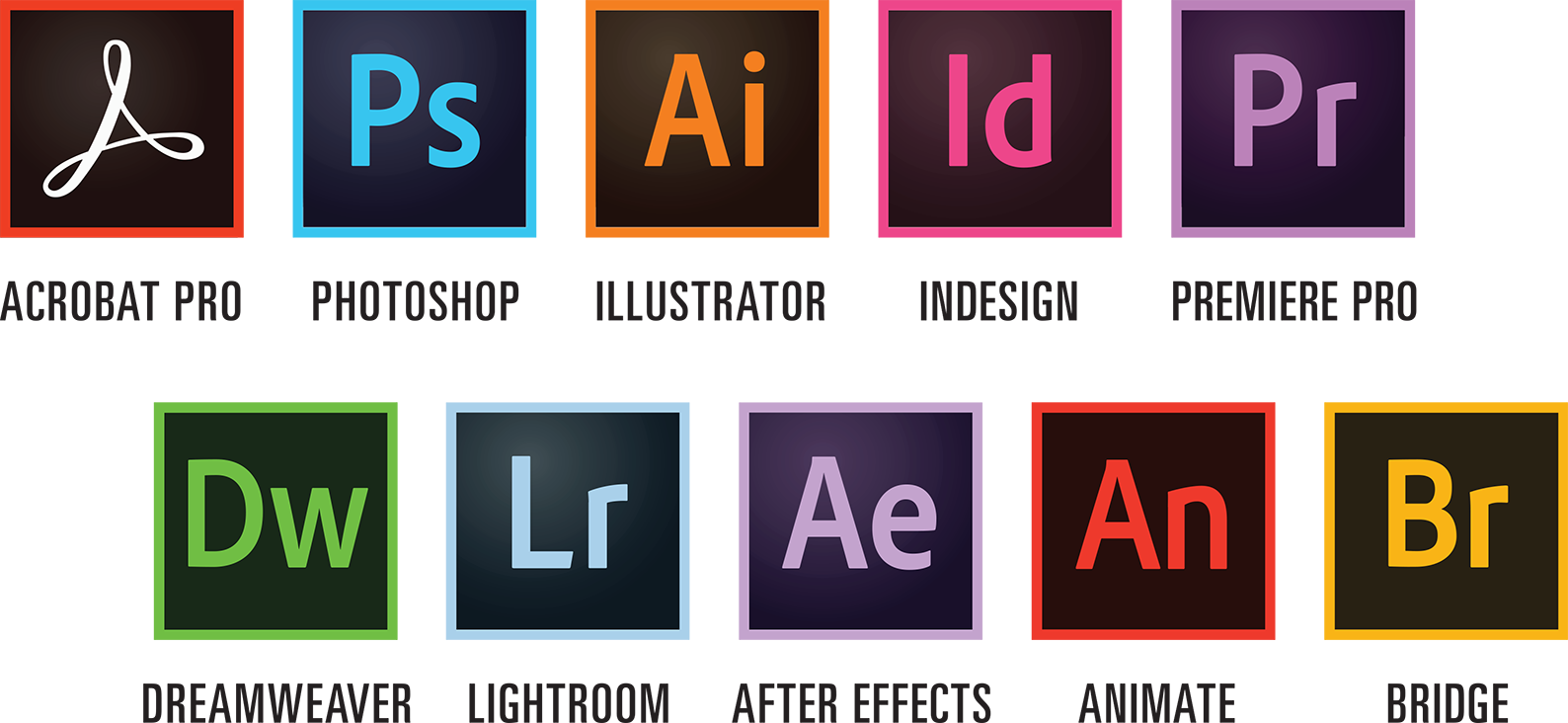
This is where most Adobe reviews lose the plot — they list every app in the suite without being honest about which ones artists actually use. Let me cut through it.
Photoshop — genuinely essential for many artists. If you work digitally, scan traditional artwork, edit photos of your work, create composites or do any kind of image manipulation, Photoshop is the gold standard. Nothing else matches it for precision, power and industry credibility. It’s the app that justifies the subscription for the largest number of artists.
Illustrator — essential for specific disciplines, irrelevant for others. If you create vector-based work — logos, illustrations, graphic art, pattern design for print on demand — Illustrator is exceptional. If you paint in oils, work in watercolour or do sculptural work, you’ll probably never open it. Know your practice before paying for the full suite on the basis of Illustrator.
Adobe Fresco — genuinely brilliant for digital painters. This is Adobe’s dedicated digital painting app and it’s probably the most underappreciated application in the suite for traditional artists moving into digital work. The live brushes that simulate real watercolour and oil paint behaviour are genuinely impressive — they respond to pressure, speed and direction in a way that feels more natural than anything Procreate offers. If you’re a traditional painter exploring digital, Fresco is worth serious attention.
Lightroom — the best photo management tool available. If you photograph your artwork regularly — and you should — Lightroom’s non-destructive editing, cataloguing and colour management is excellent. The Photography Plan gives you both Photoshop and Lightroom at £20/month which is genuinely good value if those are your primary tools.
Premiere Pro and After Effects — probably irrelevant for most visual artists. Unless you’re creating video content about your practice or doing motion graphics work, these apps don’t earn their place in an artist’s workflow. Don’t pay for the full suite on the basis of video apps you’ll never open.
Adobe Firefly — the AI tools are improving rapidly. Generative fill, text-to-image, style matching — Firefly is integrated throughout Photoshop and Illustrator now. The 4,000 monthly credits on the Pro plan give you meaningful AI functionality. Whether that’s useful or concerning to you as an artist is a separate philosophical debate, but technically it’s increasingly capable.
The Honest Case Against Adobe Creative Cloud for Artists
I want to be genuinely fair here because £57 a month is a real amount of money and for a lot of artists there are cheaper alternatives that do the job adequately.
The cancellation trap is real. Multiple reviews flag that cancelling Adobe subscriptions mid-contract incurs a significant early termination fee — typically 50% of the remaining contract value. Read the small print before committing. If you sign up on an annual plan and decide after three months it’s not for you, cancelling will cost you.
Affinity Photo and Designer are genuinely good alternatives. Serif’s Affinity suite — Affinity Photo, Designer and Publisher — are one-off purchases at around £70 each with no subscription. They’re not identical to Photoshop and Illustrator but for many artists they’re more than sufficient and the economics are considerably better over a 3-5 year period.
Procreate for iPad is £13 once. If your digital work is primarily drawing and painting on iPad, Procreate at a one-off £13 purchase does everything most artists need and does it beautifully. The case for paying £57/month for Creative Cloud Pro alongside a Procreate workflow is hard to make.
Canva Pro at £100/year covers the marketing side. If the main reason you’re considering Adobe is for social media graphics, marketing materials and presentation of your work — rather than the art creation itself — Canva Pro does that job at a fraction of the cost. We’ve covered this in detail in our Canva review.
The Honest Case For Adobe Creative Cloud for Artists
Despite the cost concerns, there are scenarios where Adobe Creative Cloud is clearly the right choice.
If you work professionally across multiple disciplines. If you create digital art, edit photos of your work, design your own marketing materials and occasionally produce video content — the full suite at £57/month covers everything and the integration between apps is genuinely seamless. Switching between Photoshop, Illustrator and Lightroom with shared assets, fonts and colour libraries is excellent.
If you sell your work professionally and presentation matters. When you’re selling original art or prints through your own Shopify store or Squarespace site, the quality of your product photography and presentation directly affects your sales. Photoshop and Lightroom produce results that Canva’s photo editing simply can’t match.
If you work in digital illustration or concept art. Photoshop and Illustrator remain the industry standard in professional illustration and concept art. If you’re working in publishing, games, film or advertising — or aspiring to — working in anything else puts you at a professional disadvantage. The industry standard argument is real in creative industries in a way it isn’t in many other fields.
If you’re a student — do it now. The student plan is dramatically cheaper. If you’re currently in art education and you’re going to be a practising professional after you graduate, getting fluent in Adobe’s tools while the pricing is accessible is genuinely strategic. It becomes much more expensive once you leave education.
The Photography Plan — The Best Value Option for Most Artists
If you want Adobe but you’re not convinced by the full suite price, the Photography Plan at ~£20/month is worth serious consideration. Photoshop and Lightroom with 1TB of cloud storage covers the most important use cases for the majority of visual artists — image editing, photo management and presenting your work professionally online.
That’s £240/year for two industry-standard tools. By comparison the full Creative Cloud Pro is £684/year. If you’re not regularly using Illustrator, Premiere Pro and the rest of the suite, the Photography Plan represents significantly better value.
Adobe vs Canva — They’re Not Competing for the Same Thing
A question I get asked regularly is whether Adobe or Canva is the better choice for artists. The honest answer is they’re solving different problems and for many artists the answer is both — or neither, depending on your practice.
Canva is for creating marketing materials, social media content and presenting your brand consistently. Adobe is for serious image creation, editing and manipulation. They’re not direct competitors — they’re tools for different jobs. We’ve written a detailed Canva Pro review for artists if you want to understand where it sits relative to Adobe.
Is Adobe Creative Cloud Worth It for Artists — The Verdict
The full Creative Cloud Pro at £57/month is only worth it if you’re regularly using multiple apps across the suite. If the answer to that is yes, it’s the best integrated creative software environment available and nothing else comes close.
For most artists the better starting point is the Photography Plan at £20/month — Photoshop and Lightroom cover the most common use cases at a price point that’s much easier to justify.
If you’re primarily a traditional artist who paints, draws or makes physical work and your digital needs are mainly photographing and presenting that work, the Photography Plan plus Canva Pro gives you a very capable toolkit for around £33/month combined — still less than the full Creative Cloud Pro on its own.
And if you’re a student — get on the student plan immediately. It won’t be this cheap again.
Rating: 5/5 for multi-discipline digital artists. 3/5 for traditional artists with occasional digital needs. 2/5 if you just need it for social media graphics.
→ View Adobe Creative Cloud Plans
Disclosure: This article may contain affiliate links. If you sign up to any platform via our links we may earn a small commission at no extra cost to you. We only recommend tools we’d genuinely point an artist friend toward.