Written by Paul Worrall
Genuinly one of the bigger shake-ups in creative software in years happened quietly at the end of last year: Canva took Affinity — previously a genuinly well-regarded, one-time-purchase alternative to Photoshop, Illustrator and InDesign — and made the whole thing free. Not a trial, not a stripped-down “lite” version. The core professional toolset, for nothing, forever. This is the honest review of what that actually means and whether it’s worth your time.
I’ve spent 16 years in the UK art and creative supplies industry and now run Discount Art Supplies, used by over 41,000 UK artists and creatives every week.
Free forever · No credit card required · Mac & Windows
What Actually Happened to Affinity
Canva acquired Serif, the company behind Affinity, back in March 2024 for a reported $500 million. For a while afterwards, genuinly not much visibly changed — Affinity Photo, Designer and Publisher continued as three separate paid apps, and a lot of existing users assumed a subscription model was coming, the way it usually goes when a big company buys a beloved independent tool.
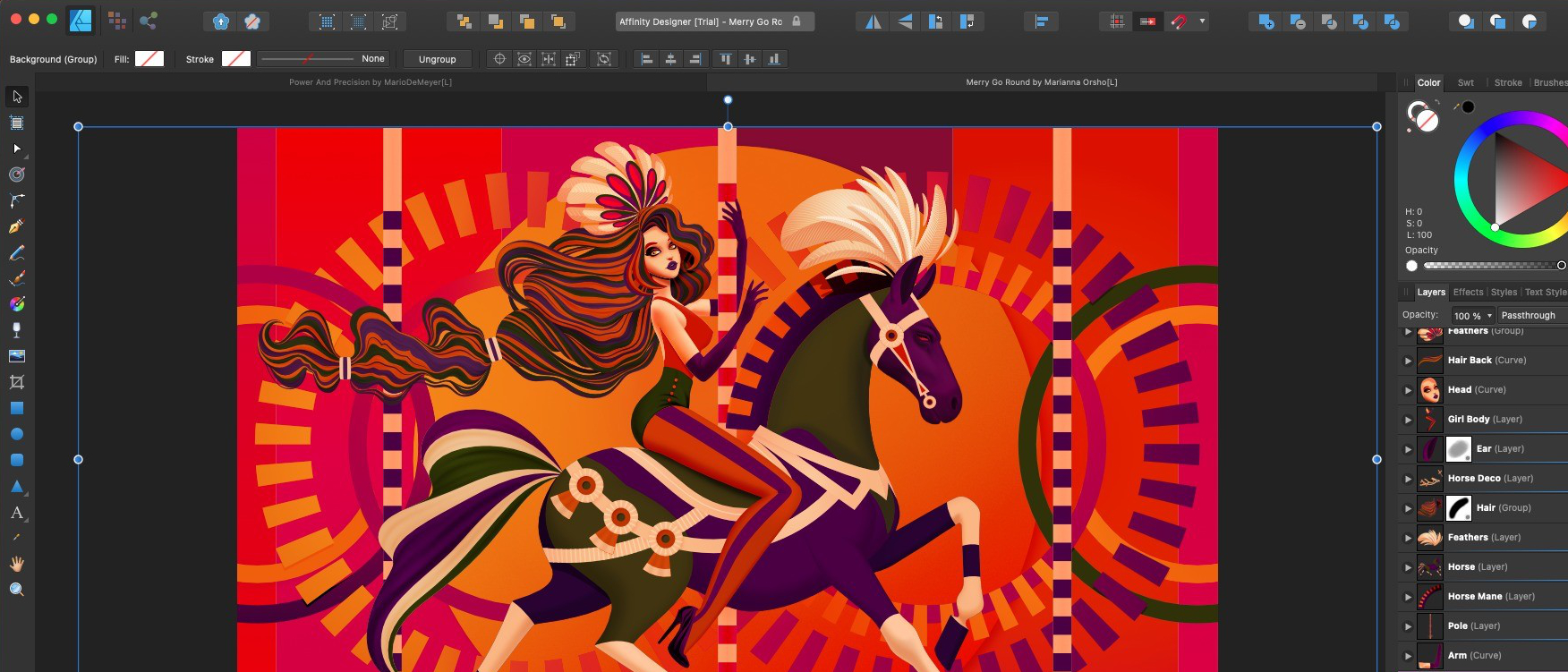
That’s not what happened. In late 2025, Canva relaunched Affinity as a single, unified application, merging Photo, Designer and Publisher into one app organised around three “Studios” — Pixel, Vector and Layout — rather than three separate programs you’d switch between. And critically, it’s genuinly free. No subscription, no one-time licence fee, just a free Canva account required to download and activate it.
Is It Actually Free, Or Is There a Catch?
The core app genuinly is free — full professional-grade tools across all three studios, with no feature limitations gating you toward a paid tier for basic functionality. That’s a real, meaningful difference from most “free” creative software, which usually means a crippled version designed to push you toward paying.
Where the paywall does exist is in the AI features specifically — generative fill, one-click background removal, and similar AI-assisted tools are locked behind a Canva Premium subscription. That’s an honest, reasonable trade-off: the professional design tools that took Affinity a decade to build are free, and the newer AI layer Canva’s built on top is what they’re charging for. Worth knowing too that a March 2026 update (bringing the app to version 3.1) added further features across all three studios, so this isn’t a one-off free launch that then stagnates — it’s being actively developed.
Affinity vs Adobe — The Real Comparison
This is genuinly the question most people actually want answered: can you replace Photoshop, Illustrator and InDesign with this and cancel an Adobe subscription? For a large proportion of users, yes, genuinly. The Pixel Studio handles photo editing and compositing to a genuinly professional standard, the Vector Studio covers illustration and logo work comparably to Illustrator, and the Layout Studio handles page design and print-ready documents in a way that covers most of what InDesign is used for.
Where Adobe still holds an edge is in some specific, deep professional workflows and third-party plugin ecosystems that have built up around Creative Cloud over decades — some competitor tools and integrations genuinly aren’t replicated in Affinity yet. For most illustrators, designers and hobbyists, that gap won’t matter. For studios with deeply entrenched Adobe-specific plugin workflows, it might.
The Honest Pros and Cons
What’s genuinly good: three professional-grade tools unified into one clean, well-designed interface rather than three separate apps bolted together awkwardly. It’s genuinly free with no subscription trap. Cross-platform on Mac and Windows (iPad support was announced as coming, though not yet available at the time of writing). The interface is customisable — you can rearrange panels and save your own workspace layouts.
What’s worth knowing before you commit: importing Adobe files can genuinly be slow, worth testing with your own real files before assuming a smooth transition. The premium AI tools, by most independent accounts, aren’t yet as capable as some competitors’ equivalents. And there’s a real technical catch worth flagging honestly — files saved in the new unified app’s format aren’t backwards compatible with the older, legacy V1/V2 Affinity apps, so a full switch is genuinly a one-way door for your file library.
Worth a brief, honest mention too: Canva’s terms of use reportedly reserve the right to modify or disable access to Affinity in future, and some AI-related data usage settings are switched on by default rather than opt-in. Neither is necessarily alarming, but worth knowing rather than assuming “free forever” carries zero terms attached.
Who Should Actually Use This
If you’re a student, hobbyist, or freelancer who’s been priced out of Adobe’s subscription model, or simply frustrated by paying monthly for software you use occasionally, this is genuinly worth switching to — the core toolset is capable enough for real, professional-quality work. If you’re already comfortable in GIMP as your free option, our GIMP vs Photoshop guide is worth reading alongside this one to see how the two free routes actually compare.
If you’re deep into an existing Adobe-plugin-dependent studio workflow, or you specifically need Adobe’s AI tools at their current maturity level, it’s less of an obvious switch — worth trialling Affinity alongside your existing setup rather than migrating everything at once.
Frequently Asked Questions
Is Affinity by Canva really free forever? The core professional toolset is free with no subscription required — only the additional AI features sit behind a Canva Premium paywall.
Do I need a Canva account to use Affinity? Yes, a free Canva account is required to download and activate the app.
Can I still use my old Affinity Photo, Designer or Publisher files? Yes, older files can be opened in the new unified app, but once saved in the new format they’re not compatible with the legacy standalone apps — worth keeping backups of original files if that matters to you.
Is Affinity available on iPad? Support was announced as coming, though it wasn’t yet available at the time of writing — worth checking Affinity’s own site for the current status if this matters to your workflow.
For more on the wider landscape of Adobe alternatives, our guide to the best Adobe Illustrator alternatives is worth a look too.