Written by Paul Worrall
A drawing tablet is the single most asked-about purchase I see from artists moving into digital work, and the honest truth is that the market has genuinely changed in the last few years. Wacom used to be the only serious option — now Huion and XP-Pen make tablets that compete properly on quality while costing significantly less. I’ve spent sixteen years in the art supplies industry and run Discount Art Supplies, used by over 36,000 UK artists every week, and this is the comparison I’d actually give a friend asking which one to buy.
Quick Picks — Best Drawing Tablets UK 2026
Best for absolute beginners: Wacom Intuos Small — no screen, just works, zero driver headaches.
Best budget pen tablet: XP-Pen Deco 01 V3 — 16,384 pressure levels at a genuinely low price.
Best screen tablet for the money: Huion Kamvas 13 — draw directly on screen without Wacom prices.
Best professional setup: Wacom Cintiq Pro — the studio standard, priced accordingly.
Best if you want a standalone device: iPad with Apple Pencil and Procreate — no computer needed at all.
Pen Tablet or Pen Display — The First Decision
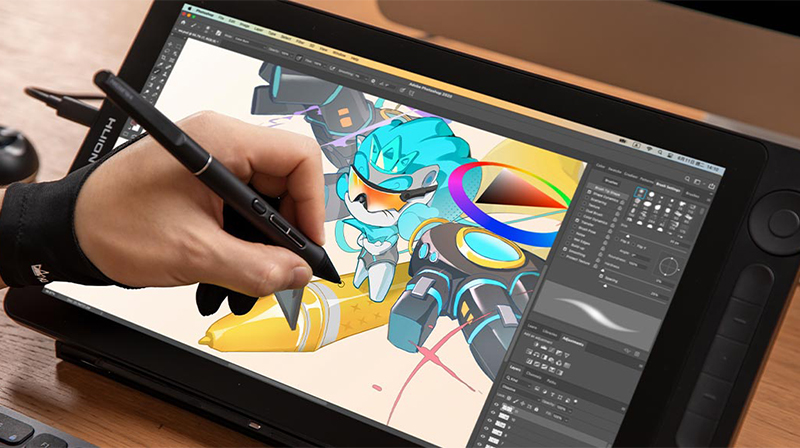
Before getting into specific models, there’s a more fundamental choice to make. A pen tablet (sometimes called a screenless tablet) is a flat pad you draw on while looking at a separate monitor — your hand moves on the tablet, your eyes are on the screen. A pen display has the screen built directly into the drawing surface, so you draw straight onto what you see, much closer to drawing on paper.
For anyone starting out, I’d genuinely recommend a pen tablet first. They’re cheaper, lighter, take up less desk space and produce no heat. The hand-eye disconnect of drawing on one surface while looking at another feels strange for the first few days, but almost everyone adapts within a week, and you save a meaningful amount of money to put toward software or art materials instead. Pen displays are more intuitive immediately but the cost jump is significant — often £150-300 more for an equivalent entry-level model.
Wacom — The Professional Standard

Wacom has dominated the professional digital art market for decades and there’s good reason for that reputation. The pen-to-paper feel is consistently described as the most natural and accurate available, the driver stability is excellent on both Windows and Mac, and Wacom’s EMR pen technology — which doesn’t need batteries — has become the standard that other brands now also support.
The Wacom Intuos Small is the tablet I’d point a complete beginner toward without hesitation. It’s a screenless pen tablet, genuinley reliable, and the smaller drawing area is rarely an issue once you’re used to it. For professional studios and working illustrators who want the absolute best drawing experience available, the Wacom Cintiq Pro range — with 4K resolution, 120Hz refresh and the Pro Pen 3 offering 8,192 pressure levels — remains the studio standard. It’s also priced like one, often running into four figures for the larger sizes.
Huion — The Value Challenger
Huion has closed the gap with Wacom faster than any other competitor, and for screen tablets specifically, Huion is genuinely where I’d point most artists on a sensible budget. The Huion Kamvas 13 and the newer Kamvas Pro line offer 2.5K displays, strong colour accuracy and pressure sensitivity that holds up against tablets costing two or three times as much. Huion also tends to win on larger 24-inch 4K pen displays specifically, where their pricing against Wacom’s equivalent is significantly more favourable.
The trade-off historically has been driver reliability — Wacom still edges ahead on long-term software stability, particularly on Linux. For the vast majority of UK artists working on Windows or Mac, that gap has narrowed to the point of being largely irrelevant day to day.
XP-Pen — The Budget Specialist
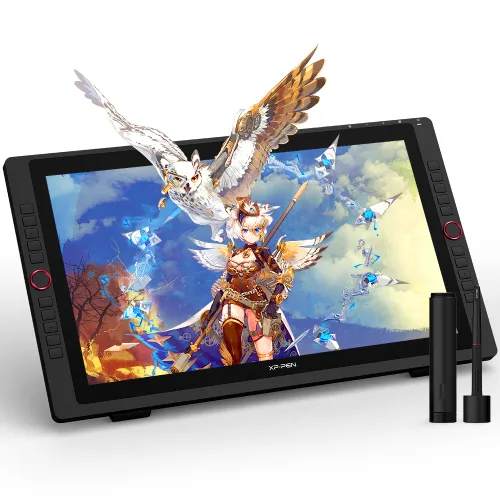
XP-Pen consistently undercuts both Wacom and Huion on price while still delivering genuinely usable pressure sensitivity and build quality. The Deco 01 V3 — offering 16,384 pressure levels across a 10 x 6.25 inch drawing area for a genuinely low price — is one of the best value entry points into digital art available anywhere in the UK market. For students, hobbyists and anyone testing whether digital art is for them before committing serious money, XP-Pen is hard to beat.
XP-Pen also makes wireless options like the Deco Pro MW, with Bluetooth connectivity and the same high pressure sensitivity — useful for artists who want to draw away from a desk without sacrificing too much in performance.
iPad — The All-in-One Alternative
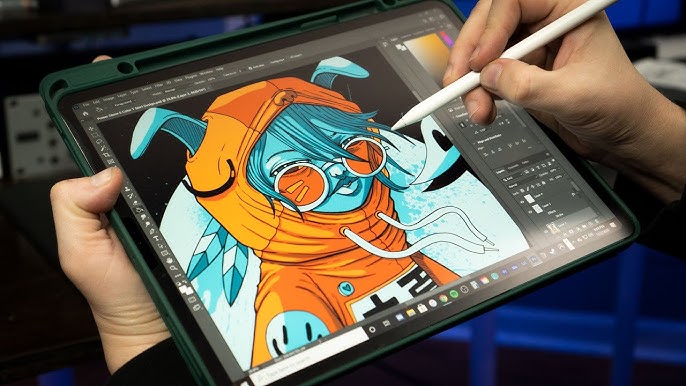
For artists who’d rather not deal with a separate tablet and computer setup at all, an iPad with an Apple Pencil is a genuinely complete solution. Pair it with Procreate — covered in detail in our Procreate vs Adobe Fresco comparison — and you have a portable, capable digital art setup with no computer required at all. The trade-off is cost — a capable iPad plus Apple Pencil costs considerably more than an equivalent screenless tablet, though you gain portability and a genuinely excellent app ecosystem in return.
For artists who want similar portability on Android, the Samsung Galaxy Tab range with S Pen support is a credible alternative, working well with Clip Studio Paint and other Android creative apps.
The Honest Recommendation by Budget
Under £50: XP-Pen Deco 01 V3 or equivalent. Genuinely capable for the price and the right starting point if you’re not certain digital art is for you yet.
£80-150: Wacom Intuos. The reliability and pen feel justify the premium over budget alternatives at this price point.
£200-400 (screen tablets): Huion Kamvas range. The best value pen display option available, genuinely competitive with much pricier alternatives.
£500+: Wacom Cintiq Pro for studio-grade professional work, or an iPad Pro with Apple Pencil for portability alongside professional capability.