Written by Paul Worrall
The digital art software landscape has changed significantly in the last few years — not because entirely new applications have appeared, but because several of the best options have become genuinly free or dramatically cheaper than they used to be. Adobe Fresco, which I covered separately in our iPad drawing apps guide, moved to a free model in 2025. Krita — arguably the most capable free digital painting application available — continues to improve with each release. Clip Studio Paint dropped its perpetual licence price significantly. The net result is that the best digital art software available in 2026 is more accessable than it’s ever been, and the case for paying a premium subscription has become harder to make for most artists.
I’ve spent sixteen years in the UK art supplies industry and now run Discount Art Supplies, used by over 36,000 UK artists every week. Digital tools come up constantly in our community — particularly the question of where to start and whether the free options are genuinly good enough. Here’s the honest picture.
⭐ Best Digital Art Software 2026 — Quick Picks
Best overall (paid): Adobe Photoshop — industry standard, unmatched AI tools, best brush engine for serious digital painting.
Best free digital art software: Krita — free, open-source, built specifically for digital painting. The honest answer for most beginners.
Best for iPad: Procreate — one-off purchase, the best digital painting experience on tablet, period.
Best for illustration and comics: Clip Studio Paint — the preference of professional illustrators and manga artists worldwide.
Best no-subscription alternative to Photoshop: Affinity Photo 2 — one-off purchase, genuinly competes with Photoshop for most tasks.
Best free option for Windows beginners: Krita — more capable than GIMP for painting specifically, free forever, Windows native.
Best for photo editing rather than painting: GIMP — free, powerful for photo manipulation and compositing, though the brush engine trails Krita for painting.
Free vs Paid — The Honest Position in 2026
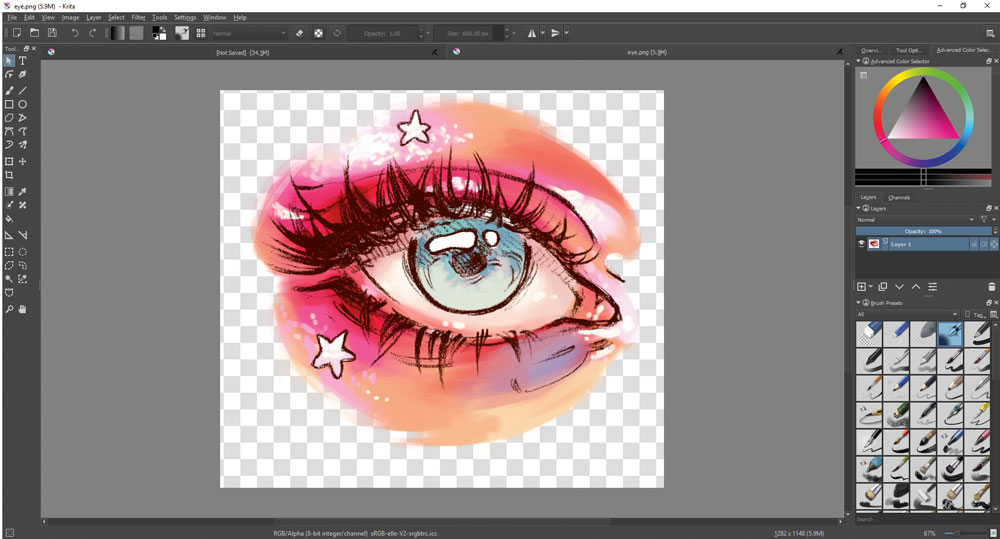
The honest position for most artists reading this guide is that free digital art software is now genuinly good enough for the majority of creative work. Krita’s brush engine is excellent. Adobe Fresco is now free on iPad. Autodesk Sketchbook is free. The gap between what you can achieve with free software and what requires a paid subscription has narrowed dramatically compared to five years ago.
Where paid software still justifies its cost is in three specific areas: Adobe Photoshop’s AI tools (Generative Fill, Neural Filters) which have no free equivalent at the same quality level; Clip Studio Paint’s illustration and comics-specific toolset which no free application replicates properly; and Procreate’s overall iPad experience which remains the most polished and enjoyable digital painting application available on any platform at any price. If none of those three specific advantages matter for what you do, start with Krita and spend the money on better hardware instead — a decent drawing tablet or a better monitor will improve your digital art more than software alone at the beginner stage.
Krita — The Best Free Digital Art Software
Krita is a free, open-source digital painting application developed specifically for artists — not for photographers, not for graphic designers, but for people who want to paint digitally. That distinction matters in practice. Where GIMP was built primarily for image manipulation and photo editing, Krita was built from the ground up to replicate and extend the experience of painting with physical media. The brush engine is genuinly excellent — pressure sensitivity, tilt detection, texture simulation, wet mixing — and the range of brush presets available covers everything from basic pencil sketching through to oil paint simulation and watercolour-style wet blending.
Krita is free on Windows, macOS and Linux, requires no account or subscription, and can be extended with community-developed brush packs and plugins. For beginners asking what digital art software to start with, Krita is the honest recommendation for Windows users who want a desktop application — more capable for painting than GIMP, more versatile than Autodesk Sketchbook, and the equal of many paid applications in its core painting functionality. The learning curve is steeper than Procreate but more managable than Photoshop, and the documentation and tutorial community is extensive.
The honest limitations: no AI tools, less polished interface than paid competitors, and the animation tools — while present — trail dedicated animation software. For pure digital painting and illustration, these limitations rarely matter.
Adobe Photoshop — Still the Professional Standard

I’ve covered the GIMP vs Photoshop comparison in depth elsewhere on this site. The summary relevant here is that Photoshop remains the professional standard for digital art for two reasons that no free alternative has matched: the brush engine quality for detailed digital painting, and the AI tools. Generative Fill, Neural Filters and the broader Adobe Firefly integration make Photoshop genuinly useful for AI-assisted creative work in ways that free alternatives simply don’t offer at the same quality level.
The Creative Cloud Photography plan at around £9.98/month includes both Photoshop and Lightroom. Over three years that’s roughly £360 — worth it if those specific advantages matter for your practice, harder to justify if you primarily sketch and paint digitally without needing AI assistance or professional compositing tools. Worth trying the free trial before committing.
Procreate — The Best Digital Art Software for iPad
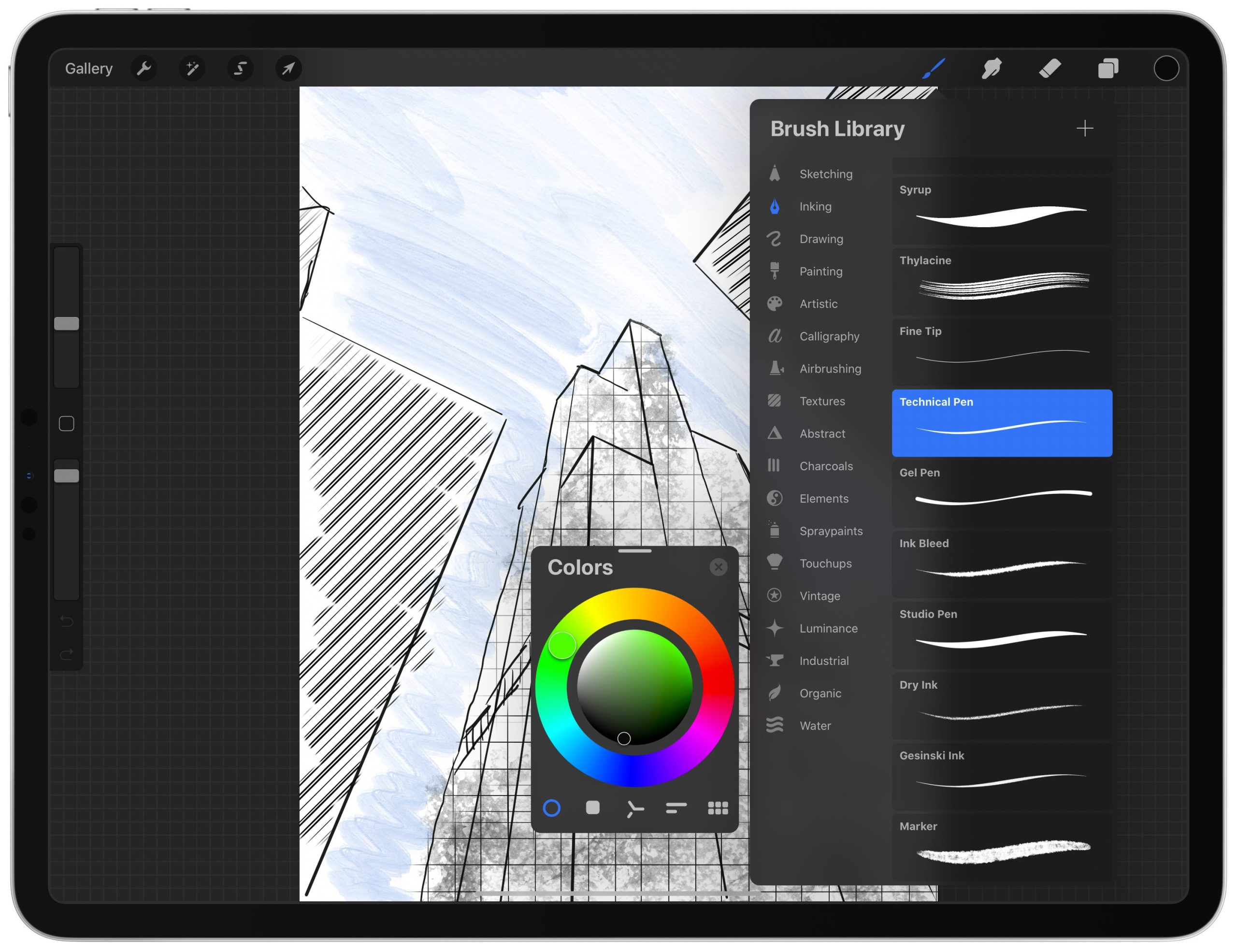
Procreate is available only on iPad, costs a one-off fee of around £12.99, and is genuinly one of the best pieces of creative software available on any platform at any price. The brush engine is excellent, the interface is intuitive in a way that makes learning feel natural rather than effortful, the Apple Pencil integration is the best of any iPad drawing application, and the combination of Procreate with an iPad Pro and Apple Pencil is the digital art setup that most traditional artists transitioning to digital find most closely replicates the physical experience of drawing and painting.
If you’re considering iPad as your digital art platform, our best iPad drawing apps guide covers Procreate alongside Adobe Fresco (now free), Clip Studio Paint for iPad, and Concepts in depth. Our Apple Pencil comparison guide covers which stylus works with which iPad model — worth reading before buying since the compatibility rules have changed with each new release. The best drawing tablets guide covers both iPad options and dedicated drawing tablets like Wacom for Windows and Mac users.
Clip Studio Paint — Best for Illustration and Comics

Clip Studio Paint is the dominant professional application for digital illustration, manga, comics and webtoon creation — used by more professional illustrators and comic artists worldwide than any other application including Photoshop for this specific type of work. The panel layout tools, perspective rulers, 3D model reference system and built-in comic-specific features (speech bubbles, screentones, panel borders) make it the obvious choice for anyone whose digital art practice involves sequential storytelling, character illustration or comics in any form.
The pricing model shifted to subscription in recent years but remains considerably cheaper than Adobe Creative Cloud — and a perpetual licence version is still available at a one-off cost. For pure illustration without the comics-specific toolset, Krita competes well at zero cost. But if panels, screentones or sequential art are part of your practice, Clip Studio Paint has no serious free competitor.
Affinity Photo 2 — Best No-Subscription Photoshop Alternative

Affinity Photo 2 is available as a one-off purchase — no subscription, no recurring cost — and genuinly competes with Photoshop for the majority of tasks most artists need. Layers, masks, non-destructive editing, a competent brush engine, RAW photo processing, HDR merging and a broadly Photoshop-compatible workflow. The areas where it trails Photoshop remain the AI tools and some advanced compositing features — but for digital painting, photo manipulation and mixed media work, Affinity Photo 2 does the job without the ongoing subscription cost.
The Affinity suite (Photo, Designer and Publisher) is available as a bundle at a one-off price that represents genuinly excellent value if you need graphic design and publishing tools alongside photo editing and painting. Worth serious consideration for any artist who wants professional-level tools without Adobe’s subscription model.
GIMP — The Free Photoshop Alternative
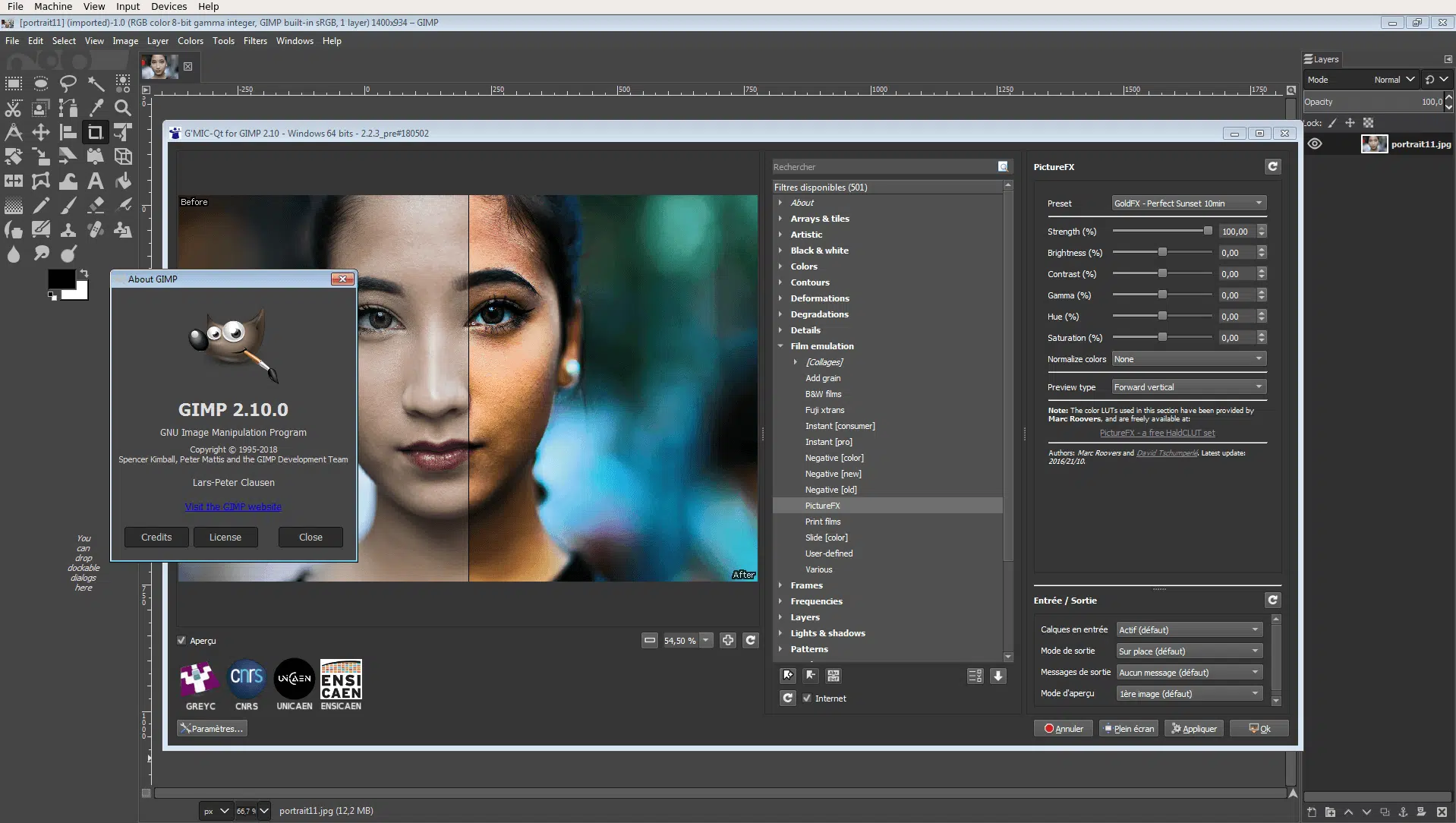
I’ve covered GIMP vs Photoshop in detail elsewhere. The short version for this guide: GIMP is genuinly useful for photo editing, compositing and graphic design work, less well-suited to digital painting specifically where the brush engine trails Krita meaningfully. For artists whose primary interest is painting digitally, start with Krita. For artists whose primary interest is photo manipulation and compositing without paying for Photoshop, GIMP is the strongest free option. Both are free, both run on Windows, macOS and Linux.
What About Autodesk Sketchbook?
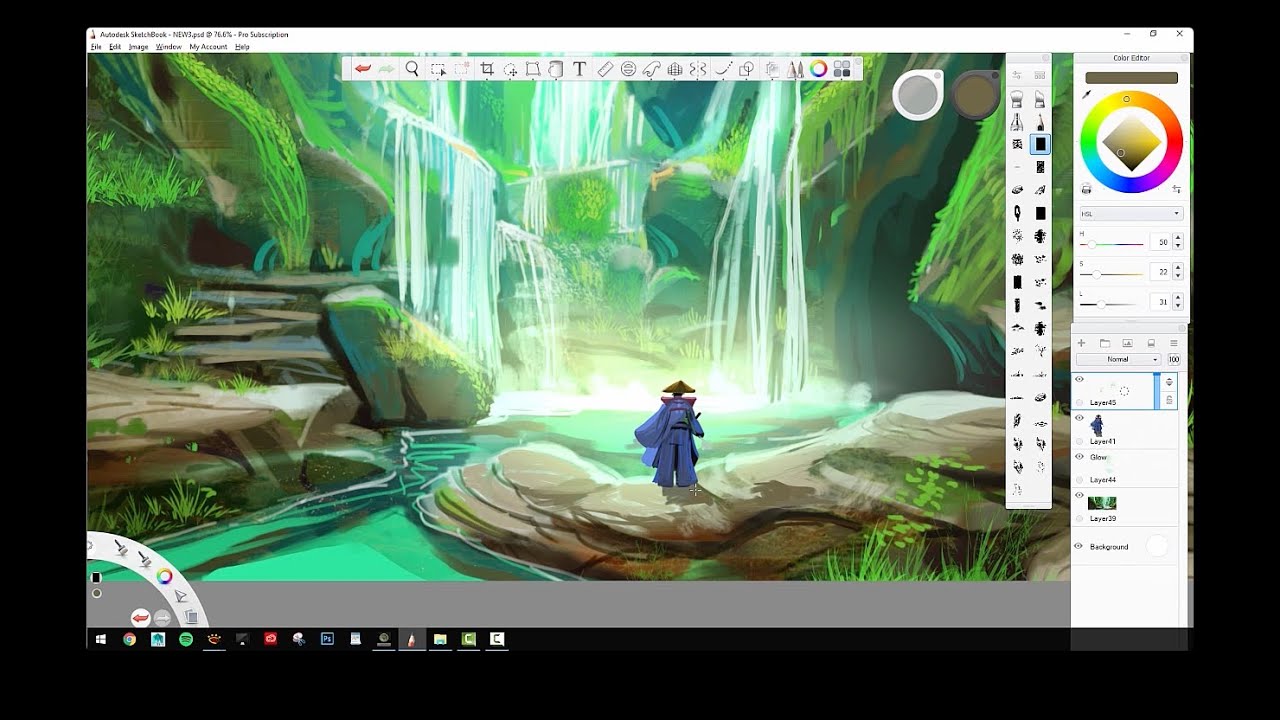
Autodesk Sketchbook is free on all platforms — Windows, macOS, iOS and Android — and is genuinly the most beginner-friendly digital drawing application available. The interface is minimal, the learning curve is the gentlest of any application in this guide, and it’s available on every device including Android tablets where Procreate isn’t an option. The trade-off is capability — Sketchbook is a drawing and sketching application rather than a full digital painting environment, with a more limited brush engine and fewer advanced features than Krita, Clip Studio or Photoshop. For complete beginners who want to try digital drawing on any device without commitment, it’s a genuinly sensible first step.
Which Digital Art Software Should You Actually Use?
The decision tree is simpler than the number of options suggests. If you’re on iPad: start with Procreate — one purchase, best experience. If you’re on Windows or Mac and want the best free option: Krita — free forever, genuinly excellent for painting. If you do illustration or comics professionally: Clip Studio Paint. If you need AI tools and professional compositing: Photoshop. If you want no-subscription Photoshop functionality: Affinity Photo 2.
The single most common mistake beginners make is spending money on software before understanding what they actually want to do with it. Download Krita or Autodesk Sketchbook first — both are free and both will tell you quickly whether desktop or tablet suits your working style, what kind of work you enjoy making, and what features you’ll actually need before you spend anything on paid software.
And remember: software matters less than the hardware you’re running it on. A good drawing tablet or a properly calibrated monitor will improve your digital art more than switching software at the beginner stage. Our guides cover both in depth.
More Digital Tools for Artists
- The Best Drawing Tablets for UK Artists
- The Best Drawing Apps for iPad
- Apple Pencil Comparison — Which Model Should You Buy?
- The Best Monitors for Digital Art and Graphic Design
- The Best Laptops for Digital Art and Graphic Design
- GIMP vs Photoshop — Which Should Artists Use?
- Procreate vs Adobe Fresco — The Honest Comparison