
Written by Paul Worrall | May 2026
Two of the most recognisable names in website building. Both use drag and drop editors. Both promise anyone can build a professional website without touching a line of code. Both are genuinely popular with artists and creative businesses. So which one should you actually choose?
I’ve spent 16 years in digital marketing — nearly a decade as digital marketing manager at ARTdiscount, one of the UK’s largest online art retailers, and more recently as founder of Discount Art Supplies, a price comparison platform with 36,000 email subscribers and a 15,000 strong Facebook community. I’ve built sites professionally on both platforms — most recently Wix sites for trade and drainage businesses — and I know exactly where each one delivers and where it doesn’t.
This isn’t a comparison written from a spec sheet. It’s from someone who’s spent real time inside both platforms with real business objectives. Here’s my honest take.
If you’ve already read our full Wix for Artists UK review, some of this will be familiar — but this article focuses specifically on how the two platforms compare head to head for artists wanting to sell their work.
The Editor Experience
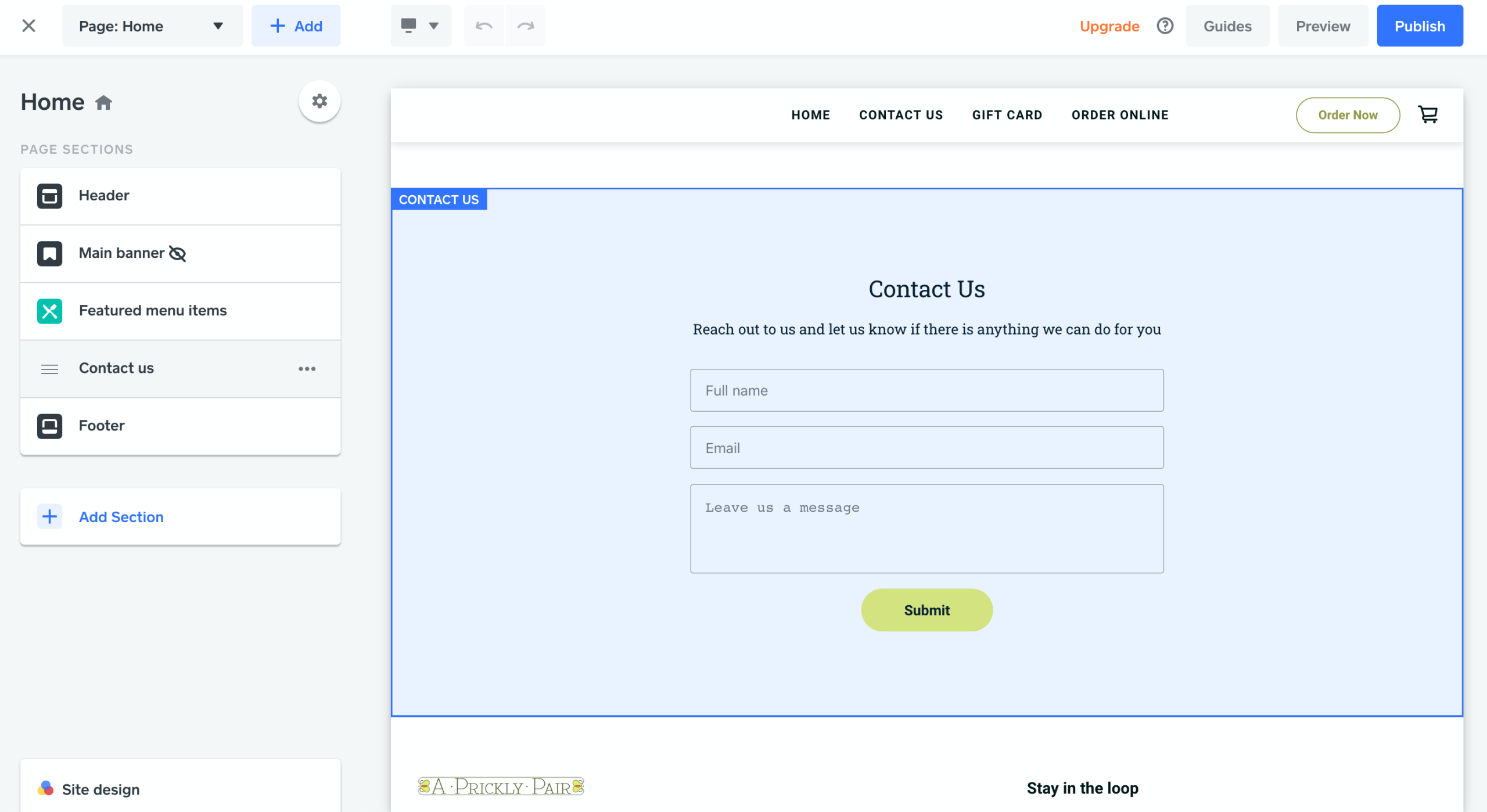
Both platforms use drag and drop editors. But they’re not the same experience at all.
Wix gives you total freeform freedom. Place anything exactly where you want it on the page — no grid, no constraints, pixel perfect positioning. For artists who think visually and have strong opinions about how things should look, this is genuinely brilliant. I’ve built full page layouts in Wix in the time it takes my wife Lucy to make a cup of tea. The editor is, without question, the best I’ve used on any website builder.
Weebly uses a more structured drag and drop system. Elements snap to a grid rather than floating freely. This makes it slightly easier to learn for complete beginners — you’re less likely to accidentally create something that looks chaotic — but it also means less design freedom. If you have a strong visual vision for your artist website, Weebly’s constraints will frustrate you fairly quickly.
There’s one area where Weebly does beat Wix though — you can switch templates at any time without rebuilding your site from scratch. Wix locks you into your chosen template. If you decide six months in that you want a completely different look, on Wix that means starting again. On Weebly you just swap the theme. For artists who like to evolve their visual identity, that’s a meaningful advantage.
Editor verdict: Wix wins — but Weebly’s theme switching is a genuine advantage.
Selling Art — E-commerce Comparison

This is the question that matters most for artists. Can you actually sell your work properly on either platform?
Wix e-commerce is solid. The Wix Art Store lets you sell original works, prints and digital downloads. You can manage inventory, set shipping rates, connect to print on demand services like Printful and Printify (check our Printful vs Printify UK guide before choosing), and take bookings for commissions or workshops. It’s not Shopify — but for most artists selling directly from a portfolio site it’s more than adequate.
Weebly e-commerce has a critical sting in the tail that most reviews don’t mention prominently enough: Weebly charges a 3% transaction fee on all sales on their lower plans. On their Free, Personal and Professional plans, every sale you make costs you 3% on top of payment processor fees. To remove that fee you need the Performance plan at around £26/month.
For an artist selling a £200 oil painting, that’s £6 per sale going to Weebly before you’ve paid Stripe or PayPal. Multiply that across a year of sales and it adds up significantly. Wix doesn’t charge transaction fees on any of their plans — a meaningful difference in real money terms.
Weebly is also now owned by Square — and the Square acquisition hasn’t been universally welcomed. Trustpilot reviews for Weebly sit at 1.2 out of 5, with multiple users reporting prices doubling after the acquisition and customer support declining significantly. That’s worth knowing before you build your art business on the platform.
E-commerce verdict: Wix wins — no transaction fees and a more reliable platform.
Design and Templates
For artists, how the finished site looks matters enormously. You’re selling visual work — the container needs to do it justice.
Wix has hundreds of templates including a dedicated art and portfolio section. The designs are modern and varied. The downside — as I mentioned in our full Wix review — is that the finished product can sometimes look a bit generic if you’re not careful with your design choices. Total freedom is a double-edged sword. Without design discipline, Wix sites can end up cluttered.
Weebly has a smaller template library but the designs tend to be cleaner and more restrained by default. The structured grid system that limits your design freedom also makes it harder to accidentally create something that looks messy. For artists who aren’t confident designers, Weebly’s guardrails might actually produce a better looking result than Wix’s total freedom.
Design verdict: Draw — depends on your design confidence.
UK Pricing in 2026
Let’s look at real numbers side by side:
Wix UK plans:
- Light — £9/month
- Core — £16/month (e-commerce)
- Business — £25/month
- Business Elite — £119/month
Weebly UK plans:
- Free — limited, Weebly subdomain
- Personal — from £4/month
- Professional — from £9/month
- Performance — from £26/month (removes 3% transaction fee)
On the surface Weebly looks cheaper. But factor in the 3% transaction fee on lower plans and it changes the calculation significantly. An artist selling £1,000 of work per month on Weebly Professional is paying £30/month in transaction fees alone — more than the subscription itself. The moment you start selling consistently, Wix is almost certainly the cheaper platform in practice.
Weebly also bills in USD rather than GBP for many UK users, which means bank foreign transaction fees on top of everything else.
Pricing verdict: Wix wins once you account for transaction fees.
SEO
I want to be honest here because I work in SEO professionally — this is my bread and butter.
Neither Wix nor Weebly is the platform I’d choose if SEO was my primary growth strategy. WordPress — the platform I built Discount Art Supplies on — is considerably more powerful for organic search. DAS is now ranking on page one for competitive terms and hitting Google AI citations because WordPress gives me the technical control to do that properly.
That said, for most artists SEO isn’t the primary driver of sales. Social media, exhibitions, word of mouth and Instagram are often more relevant. In that context, both platforms are adequate.
Wix has invested heavily in SEO improvements and now offers structured data, canonical URLs and meta control. Weebly’s SEO tools are more basic but cover the essentials. Neither is a dealbreaker for an artist website — just don’t expect either to rank for competitive keywords without significant content work.
SEO verdict: Wix marginally better — both adequate for artist websites.
Who Should Use Weebly?
Honestly — fewer people than before the Square acquisition. If you’d asked me two years ago I’d have recommended Weebly more enthusiastically. Today, with the pricing changes, the declining support reviews and the transaction fee issue, it’s hard to recommend it over Wix for most artists.
The cases where Weebly still makes sense:
- You want a pure portfolio site with no e-commerce and the free or Personal plan suits your needs
- You’re a complete beginner and want the simplest possible experience
- You value being able to switch templates freely without rebuilding
Weebly is probably the wrong choice if:
- You plan to sell your work — the transaction fees are a real cost
- You want design freedom and a premium looking result
- You’re building something you plan to grow long term
The Honest Verdict
Wix wins this comparison — and it’s not particularly close.
Better editor, no transaction fees, more features, more templates, more reliable platform. The only areas where Weebly genuinely competes are simplicity for complete beginners and template switching flexibility.
Nancy is six and managed to build something recognisable as a website in Wix last weekend while I was supposed to be watching her. Zach at nine has built three. If ease of use is your primary concern, both platforms deliver that. But given Wix doesn’t penalise you commercially with transaction fees, there’s very little reason to choose Weebly if you have any intention of selling your work.
And if selling art is your serious goal — read our guide on why Shopify is worth considering for UK artists. It’s more expensive and has a steeper learning curve, but it’s the platform built specifically for selling rather than websites that also sell.
For most UK artists in 2026: choose Wix over Weebly.