Written by Paul Worrall
I built ARTdiscount’s web graphics for years on a laptop that genuinly wasn’t built for the job, and I know exactly what it feels like watching a spinning wheel while a layered file refuses to open. I should say upfront that I’m a genuine Mac user — have been for most of my adult life — so there’s an obvious bias running through some of this guide, but I’ve tried to be honest about where Windows machines genuinly hold their own or pull ahead, rather than just defaulting to Apple everywhere out of habit.
Buying the right laptop for graphic design isn’t about chasing the highest spec sheet — it’s about matching the machine to what you actually do day to day, since a laptop built for 3D rendering is wasted money if you’re mostly doing Illustrator and Procreate work, and a laptop that’s fine for browsing will genuinly choke on a complex multi-layer Photoshop file. I’ve spent sixteen years in the art and design supplies industry and run Discount Art Supplies, used by over 36,000 UK artists and designers every week. Here’s the honest, current picture.
⭐ Best Laptops for Graphic Design — Quick Picks
Best overall for heavy workloads: MacBook Pro 14 (M5) — the consistent top pick across every independent review for serious, sustained creative work.
Best for portability: MacBook Air 15 (M4) — fanless, light, and surprisingly capable for most 2D design work.
Best Windows alternative: ASUS ProArt P16 — colour-accurate OLED display with a dedicated GPU for designers who need Windows specifically.
Best budget pick: MacBook Air (M2, older generation) — genuinly still capable for Photoshop and Illustrator at a meaningfully lower price.
Best for colour accuracy on Windows: HP Pavilion Plus 14 OLED — exceptional Delta-E colour accuracy at a more affordable price point.
What Actually Matters When Choosing a Design Laptop
Display quality is the single most important factor, and it’s the one corner you genuinly shouldn’t cut. Look for at least 100% sRGB coverage as a baseline, with DCI-P3 or Adobe RGB coverage mattering considerably more if you’re doing print work, branding or anything where colour accuracy affects a client deliverable. OLED and Apple’s Liquid Retina XDR panels both deliver genuinly excellent contrast and colour precision — resolution matters too, but a sharp, dim, inaccurate panel is worse than a slightly lower-resolution screen that renders colour properly.
RAM is the second priority. Adobe technically lists 8GB as the minimum for Photoshop, but in genuine day-to-day use that’s tight the moment you’re working with large layered files, multiple browser tabs and background apps running simultaneously. 16GB is the practical working minimum, and 32GB is genuinly worth the upgrade if you regularly work with complex, multi-layered files or large Illustrator documents with many linked assets.
Processing power and GPU needs depend heavily on your specific workflow. Most 2D graphic designers — working primarily in Photoshop, Illustrator or Figma — can manage perfectly well with integrated graphics on a modern Apple Silicon or recent Intel/AMD chip. If your work extends into 3D modelling, animation or heavy video editing, a discrete GPU becomes considerably more important, and that’s where some Windows machines genuinly pull ahead of the MacBook range.
MacBook Pro 14 (M5) — Best Overall
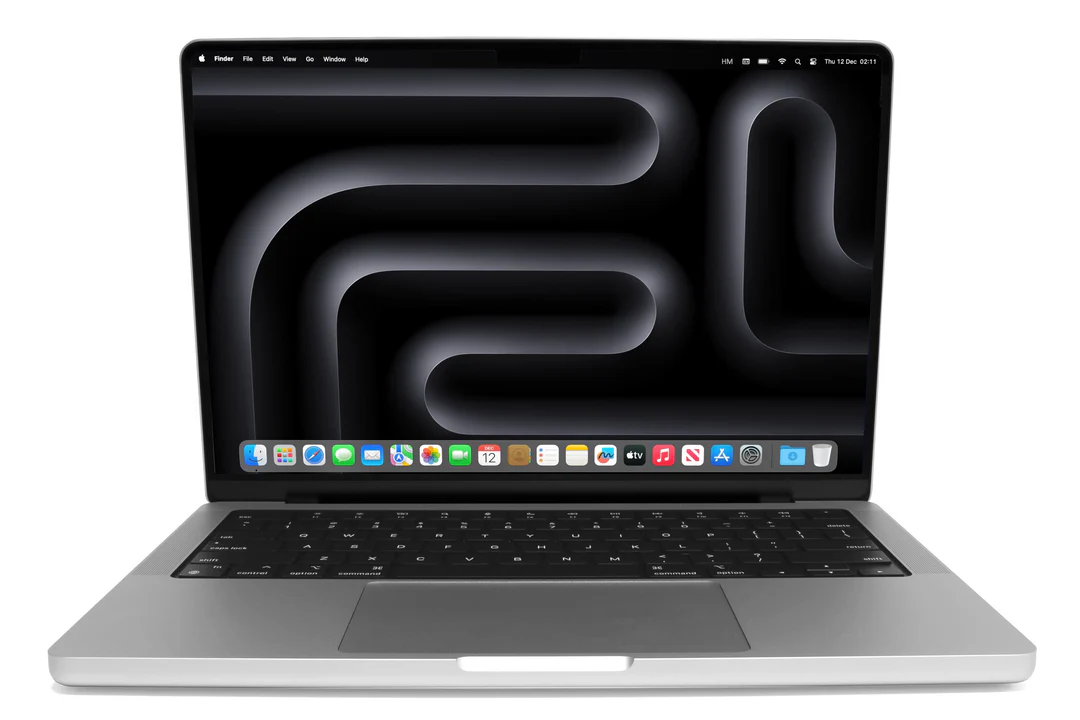
The MacBook Pro 14-inch with the M5 chip remains the consistent top recommendation across every independent review I researched for this piece, and the reasoning holds up. The Liquid Retina XDR display delivers genuinly exceptional colour precision with wide DCI-P3 coverage — exactly what print and digital creatives need for reliable client deliverables. Performance benchmarks consistently show Apple Silicon chips handling Photoshop and Illustrator workloads as well as, or better than, considerably more expensive Windows machines with dedicated GPUs, and battery life comfortably covers a full working day away from a charger.
For anyone doing serious, sustained creative work — large multi-layered files, frequent exports, professional client deadlines — this is genuinly the safest recommendation on the market right now, even at the higher price point.
MacBook Air 15 (M4) — Best for Portability

The MacBook Air 15-inch with M4 is genuinly fanless, light enough to carry everywhere without thinking about it, and considerably more capable than its slim profile suggests — independent testing has shown the M4 chip outperforming machines with dedicated GPUs in real Photoshop benchmarks. The 15.3-inch Liquid Retina display gives proper working screen real estate without the bulk of a 16-inch machine, and the long battery life suits designers who move between locations, client meetings or co-working spaces rather than staying desk-bound.
The honest limitation is thermal throttling during genuinly extended, heavy workloads — extended 3D rendering or long video exports will eventually slow down without the fan-based cooling a Pro model has. For the vast majority of 2D design and illustration work, this simply doesn’t come up in practice.
ASUS ProArt P16 — Best Windows Alternative
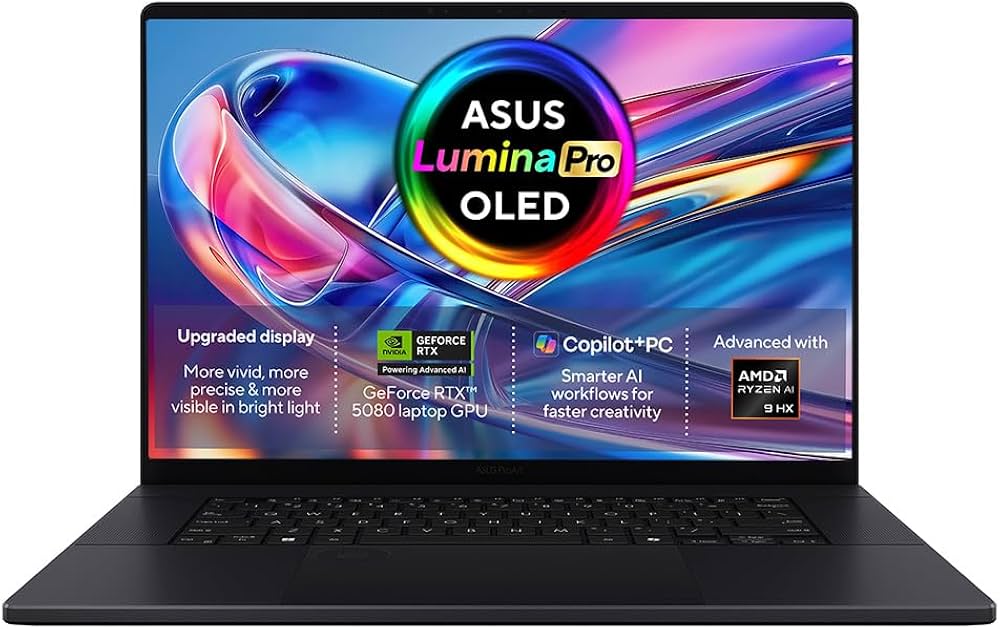
For designers who genuinly need Windows — company software requirements, specific plugins, VPN tools, or simply a longstanding preference — the ASUS ProArt P16 is the strongest current option, built specifically for creative professionals with a colour-accurate Mini-LED display and proper dedicated GPU power for anyone working in 3D, animation or heavier rendering tasks. ASUS’s ProArt line exists specifically to compete with the MacBook Pro on creative credentials rather than gaming specs, and it shows in the display calibration and build quality.
MacBook Air (M2) — Best Budget Pick

An older-generation MacBook Air with the M2 chip remains genuinly excellent value for students, beginners and freelancers on a tighter budget. It handles Photoshop and Illustrator comfortably for most everyday design work, and the efficient Apple Silicon architecture means it stays useful for years rather than becoming obsolete quickly — a genuinly important factor when budget is the priority, since a longer useful life reduces the real cost of ownership even at a lower headline price.
HP Pavilion Plus 14 OLED — Best Colour Accuracy on Windows

If colour accuracy on Windows specifically is the priority and budget matters, the HP Pavilion Plus 14 OLED is genuinly worth knowing about — independent testing has measured Delta-E colour accuracy under 1.0 with near-perfect DCI-P3 coverage, figures that comfortably compete with machines costing considerably more. For designers doing colour-critical work on a Windows budget, this is one of the strongest value options currently available.
Mac or Windows — Which Should You Actually Choose?
Both platforms handle graphic design work well today, and the honest answer depends on your specific workflow rather than either being categorically better. macOS offers smoother, more consistent integration with Adobe’s Creative Suite and excellent built-in colour management, which is part of why so many professional designers default to it. Windows offers considerably more hardware variety, more configurable GPU options, and better support if your work or workplace genuinly requires specific Windows-only tools or plugins.
Touchscreen and stylus support is a nice-to-have rather than essential for most graphic design work — useful for sketching, annotations or client presentations, but not a deciding factor unless your work specifically involves digital illustration on the laptop screen itself, in which case our best drawing tablet guide covers dedicated tablet options that handle that job better than a laptop screen ever will.
Quick Summary — Which Laptop Should You Buy?
Serious, sustained professional work: MacBook Pro 14 (M5).
Portability without sacrificing capability: MacBook Air 15 (M4).
Need Windows specifically, want creative-grade hardware: ASUS ProArt P16.
Tight budget, still want genuine capability: MacBook Air (M2).
Colour-critical work on a Windows budget: HP Pavilion Plus 14 OLED.