Written by Paul Worrall
Most vinyl cutter guides are written for crafters who want to make custom mugs and personalised tote bags — which is fine, but it’s not quite the same question an artist asks when they’re looking at the same machines. Artists tend to want vinyl cutters for different reasons: making precise stencils for repeat printing or spray work, cutting masking shapes for mixed media canvas painting, producing limited edition print-on-cut stickers of their own illustrations to sell at markets, or cutting intricate paper shapes for collage that a craft knife simply can’t do reliably at scale. The machines are the same but the use case matters, and this guide is written with that audience specifically in mind.
I should say upfront that I have more background with vinyl cutting than most people writing about the home craft end of the market. ARTdiscount, where I spent nearly a decade as Digital Marketing Manager, was part of Granthams — a Blackpool-based company with a sub-division called Granthams GT that operated as one of the main UK Mimaki dealers in the country. Mimaki, for anyone unfamiliar, make the kind of industrial-grade large format print and cut equipment that professional signmakers, vehicle wrap specialists and exhibition display companies depend on — the machines that make a Cricut look like a sketch pad next to a printing press. My job at Granthams GT was digital — I managed the listings and marketing for used equipment, helping signmakers work out what to buy when upgrading their existing kit and handling the advertising of trade-in machines when new Mimakis came in. So I’ve sat at the serious professional end of the vinyl cutting world for years, which gives me a fairly clear-eyed view of where the home craft machines actually sit in the broader landscape.
The short version: home vinyl cutters like the Cricut and Silhouette range are genuinly capable, well-designed tools at a consumer price point. They’re not industrial machines and they don’t pretend to be. But for artists making stencils, cutting sticker sheets and producing decals, they do the job well — and in 2026 the gap between what a £300 home cutter can do and what a £15,000 Mimaki can do has narrowed considerably in the areas that matter for creative rather than production work. Here’s the honest picture of what’s worth buying, with Amazon links for current UK pricing.
I now run Discount Art Supplies, used by over 36,000 UK artists every week. Vinyl cutters come up in our community more than you’d expect — particularly among mixed media artists, illustrators selling at fairs, and painters who use stencils as part of their process.
⭐ Best Vinyl Cutters for Artists — Quick Picks
Best overall for artists: Cricut Maker 4 — cuts 300+ materials including fabric and leather, the most versatile machine for mixed media artists.
Best for stencil-making and vinyl work specifically: Silhouette Cameo 5 — no subscription required, free offline software, the highest cutting force of any home machine.
Best for illustrators selling print-and-cut stickers: Cricut Explore 5 — print-then-cut capability, excellent value, the most popular machine for sticker production.
Best for scanning and cutting your own drawings: Brother ScanNCut SDX125 — the only home cutter with a built-in 600 DPI scanner. Draw something, scan it, cut it. No computer required.
Best budget option: Silhouette Portrait 4 — compact, capable, no subscription fees, ideal for artists testing the water before committing to a full-size machine.
Best compact option: Cricut Joy Xtra — A4-width cutting, Print Then Cut for small sticker production, genuinly pocketable footprint.
What Artists Actually Use Vinyl Cutters For
Before the individual machine breakdown, it’s worth establishing what an artist’s use case actually looks like — because it changes which features matter most. The four main uses in our community are:
Stencil making. Cutting precise, repeatable shapes in vinyl or mylar film for spray work, screen printing prep, or layered acrylic stencilling on canvas. For this, cutting force and precision matter more than print-then-cut capability, and you want a machine that handles thicker stencil material cleanly.
Mixed media masking. Cutting adhesive vinyl shapes to mask areas of a canvas or panel before painting, then peeling off to reveal clean edges. Same requirements as stencilling — precision and material versatility.
Print-and-cut sticker production. Printing your own illustration on an inkjet printer, then using the cutter to cut precisely around each design for market stalls and Etsy shops. For this, print-then-cut registration accuracy is the critical feature.
Paper cutting for collage. Cutting intricate paper shapes with a precision and consistency that hand cutting simply can’t match at scale. For this, any decent machine works, and the software becomes the deciding factor.
The Subscription Question — Cricut vs Silhouette
The single most importent practical difference between Cricut and Silhouette for most artists is the software model. Cricut’s Design Space works primarily online and offers a subscription (Cricut Access, around £8-9/month) for a library of pre-made designs and fonts. You can use Cricut machines without the subscription by uploading your own SVG files — and as an artist with your own work, that’s almost certainly what you’d do — but the cloud dependency can still feel constraining. Over three years, a Cricut Access subscription adds around £300 to the true cost of ownership.
Silhouette Studio, by contrast, is free, works completely offline, and has a genuinly more capable design interface for artists who want precise control over paths, offsets and layers. The learning curve is steeper than Cricut’s beginner-friendly Design Space, but for artists who already work in Illustrator or Affinity Designer, Silhouette Studio feels considerably more familiar. No ongoing subscription. No internet required. That combination consistently wins over artists who research seriously before buying.
Cricut Maker 4 — Best Overall for Mixed Media Artists
The Cricut Maker 4 is the most capable home cutting machine available in 2026 and the clear recommendation for mixed media artists who want one machine handling as many creative tasks as possible. The adaptive tool system accepts a rotary blade for fabric and textiles, a knife blade for materials up to 2.4mm thick including balsa wood, chipboard and leather, a scoring wheel for card making and bookbinding, and a Cricut Pen for handwritten-style lettering and illustration outlines. If your practice crosses between painting, textile work, collage and paper craft, the Maker 4 is the machine that genuinly handles all of it rather than being a compromise across the board.
Print-then-cut is built in and works accurately — you can print your own illustrations on an inkjet printer and cut around them to produce stickers, labels and decorative elements with genuinly clean precision. The Bluetooth wireless connection and 300+ materials compatibility round out a machine that’s harder to outgrow than most of its competitors. The honest caveats: it’s the most expensive option on this list, and the Design Space subscription adds to the long-term cost if you use the design library regularly.
Silhouette Cameo 5 — Best for Stencil-Making and Vinyl Work
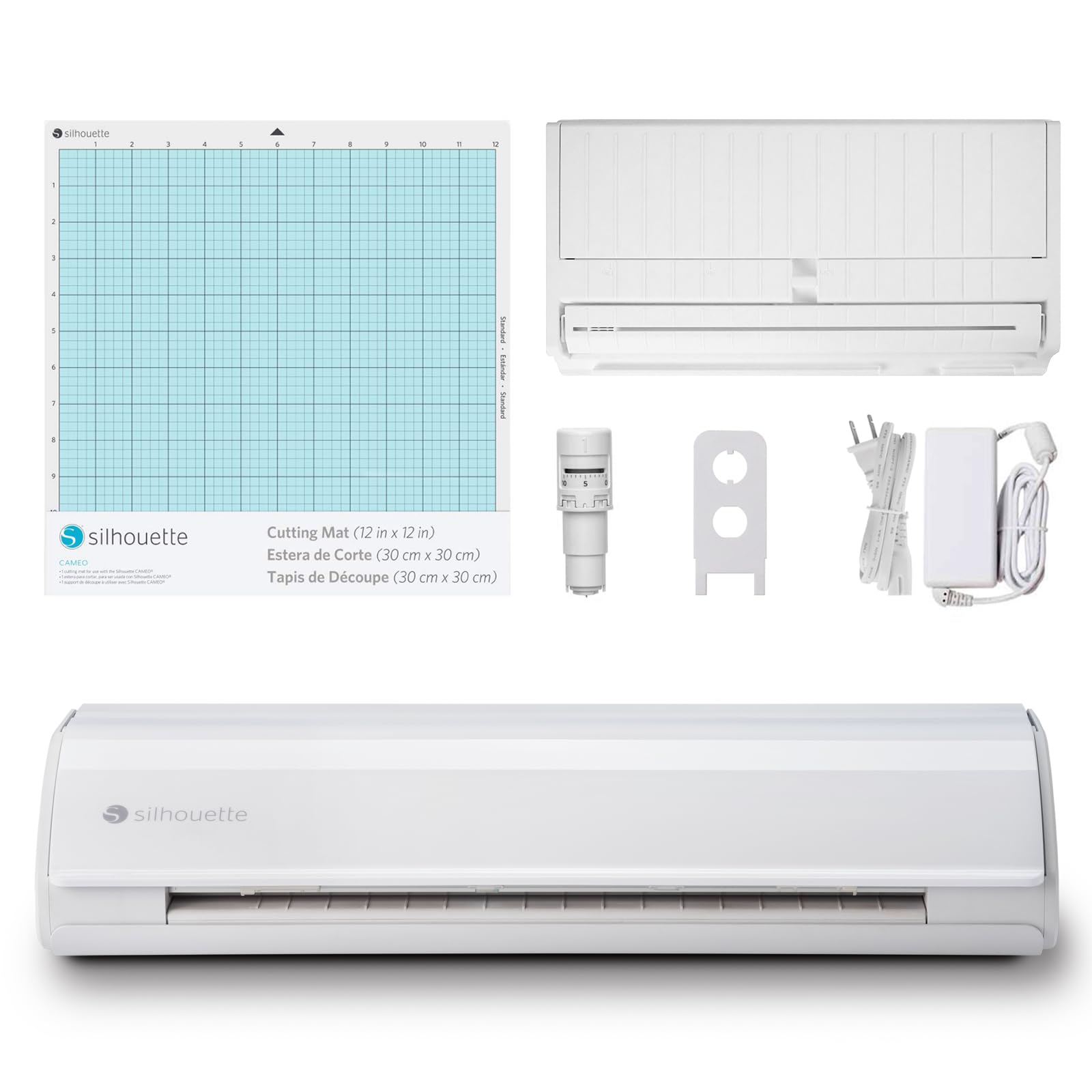
The Silhouette Cameo 5 is the machine most artists settle on after researching seriously, and the reasons are consistent. No subscription. Free offline software with a genuinly capable design interface. The highest cutting force of any home machine at 5,000 gf — meaningfully more than any Cricut model — which matters for cutting thick stencil material, mylar, and heavier mixed media substrates. The roll feeder handles continuous material up to five metres, which is useful for artists cutting large stencils or repeating patterns. Ultra-quiet operation at 400mm/s. A 4-point registration system for precisely aligning printed artwork with cut lines.
For artists whose primary use is stencils, masking shapes and vinyl decals — rather than fabric cutting or thick material work — the Cameo 5 is the strongest recommendation. The software advantage over Cricut is real and the subscription-free model keeps long-term costs lower than a Maker 4 equivalent over three years.
Cricut Explore 5 — Best for Print-and-Cut Sticker Production
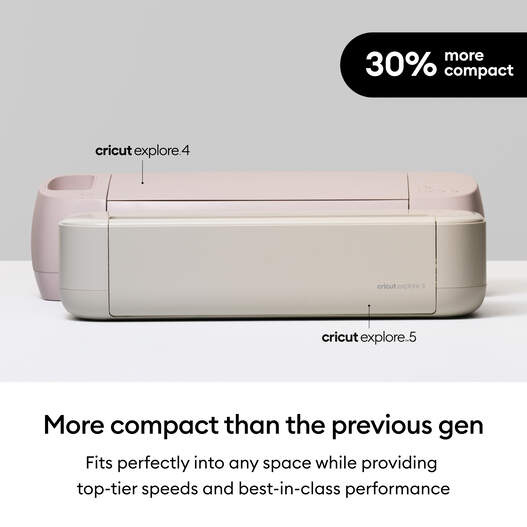
If your primary use case is producing print-and-cut stickers of your own illustrations to sell at markets or on Etsy, the Cricut Explore 5 is the most popular machine for exactly that workflow and the value recommendation in the Cricut range. Print-then-cut works reliably — print your designs on printable sticker vinyl or sticker paper from any inkjet printer, load into the Explore 5, and it reads the registration marks and cuts precisely around each design. The process works well, the community of tutorials is enormous (a genuinly useful resource when you’re learning a new workflow), and it handles 100+ materials including card and thin fabric alongside vinyl.
The honest limitation versus the Maker 4 is cutting force — the Explore 5 won’t handle thick leather or balsa wood. For stickers, decals, vinyl and cardstock it’s more than adequate, and it’s the machine I’d point an illustrator toward first if sticker production is the primary goal.
Brother ScanNCut SDX125 — Best for Scanning Your Own Drawings

The Brother ScanNCut SDX125 is the machine that stands completely apart from Cricut and Silhouette by offering something neither of them do: a built-in 600 DPI scanner. You draw something by hand, place it on the scanning bed, and the machine digitises and cuts it directly — no computer, no design software, no conversion of a photo to a vector file. For artists who want to cut shapes based on their own hand-drawn work without learning vector software or exporting SVG files, this is a genuinly unique capability.
The Auto Blade sensor automatically detects material thickness and adjusts blade depth accordingly, and it handles paper, vinyl, fabric, foam and balsa wood up to 3mm. The standalone touchscreen operation means no laptop required, which some artists find considerably more appealing than being tied to Design Space or Silhouette Studio. The honest caveats: it’s not the fastest machine, Canvas Workspace (the free software) has a steeper learning curve than Cricut’s Design Space, and the tutorial community is smaller. But for the specific use case of scanning and cutting your own drawings, there’s nothing else like it at this price point.
Silhouette Portrait 4 — Best Budget Option
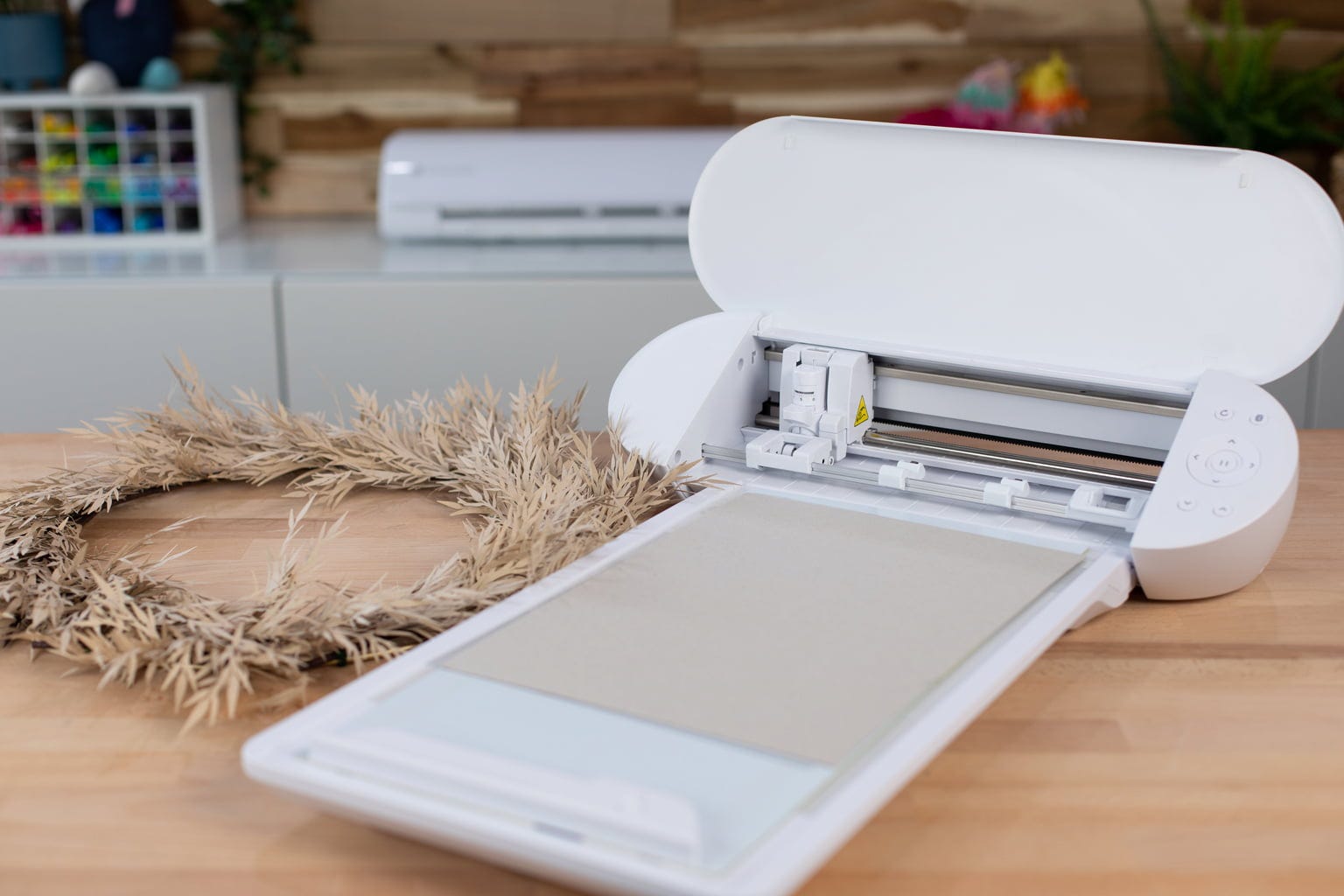
The Silhouette Portrait 4 is a compact 9-inch machine — smaller cutting width than a full Cameo, but the same Silhouette Studio software, same no-subscription model, and genuinly capable for vinyl cutting, stencils, stickers and paper work at a meaningfully lower price. For artists who want to test whether a vinyl cutter actually fits their practice before spending Cameo or Maker money, the Portrait 4 is a smart entry point that doesn’t feel like a compromise machine — it’s a smaller version of a proper tool rather than a toy version of a proper tool.
Cricut Joy Xtra — Best Compact Option

The Cricut Joy Xtra is Cricut’s mid-size machine — wider than the original Joy at 8.5 inches (A4 width), light enough to move around, small enough to live on a shelf between projects. For artists who primarily want to produce small stickers, labels, greeting cards or vinyl decals and don’t need full A3 cut width, the Joy Xtra does the job without occupying half a studio table. Print-then-cut works via a built-in sensor. The Smart Materials feed means most materials cut without a mat, which reduces prep time for quick projects considerably.
Which Vinyl Cutter Should You Actually Buy?
For mixed media artists who want one machine cutting everything from fabric to chipboard: Cricut Maker 4. For stencil-making, vinyl work and anyone who doesn’t want a subscription: Silhouette Cameo 5. For illustrators producing print-and-cut stickers at the best value price point: Cricut Explore 5. For artists who want to scan and cut their own hand-drawn work without learning vector software: Brother ScanNCut SDX125. For testing the waters on a budget: Silhouette Portrait 4.